
Loading font…
Tattoo Font Generator
Create custom tattoo lettering with 60 free fonts. Preview your text instantly and download your favorite design.
Your words update every font preview below.
Choose a font: Pinyon ScriptCompare all 60 fonts
Loading font…
Loading font…
Loading font…
Pinyon ScriptHorizontal
Loading font…
1600 × 1600 · white background · no account
Generate custom lettering
2 credits · your words stay the same
Find Your Tattoo Font
Your words, in every style. Compare the samples below, then choose a font for the large preview.
Loading font…
Loading font…
Loading font…
Loading font…
Loading font…
Loading font…
Loading font…
Loading font…
Loading font…
Loading font…
Loading font…
Loading font…
Tattoo Font Ideas for Names, Quotes and Dates
A name, a reminder, a moment worth keeping. Try an example to see it across the font library.
01 · Names
Names
02 · Short phrases
Short phrases
03 · Dates
Dates
See Tattoo Lettering on Skin
Explore how different tattoo fonts look on skin, from elegant script to bold Gothic lettering. Find inspiration and try your favorite style.
 AI Mockup
Elegant Script Tattoo
How to Use the Tattoo Font Generator
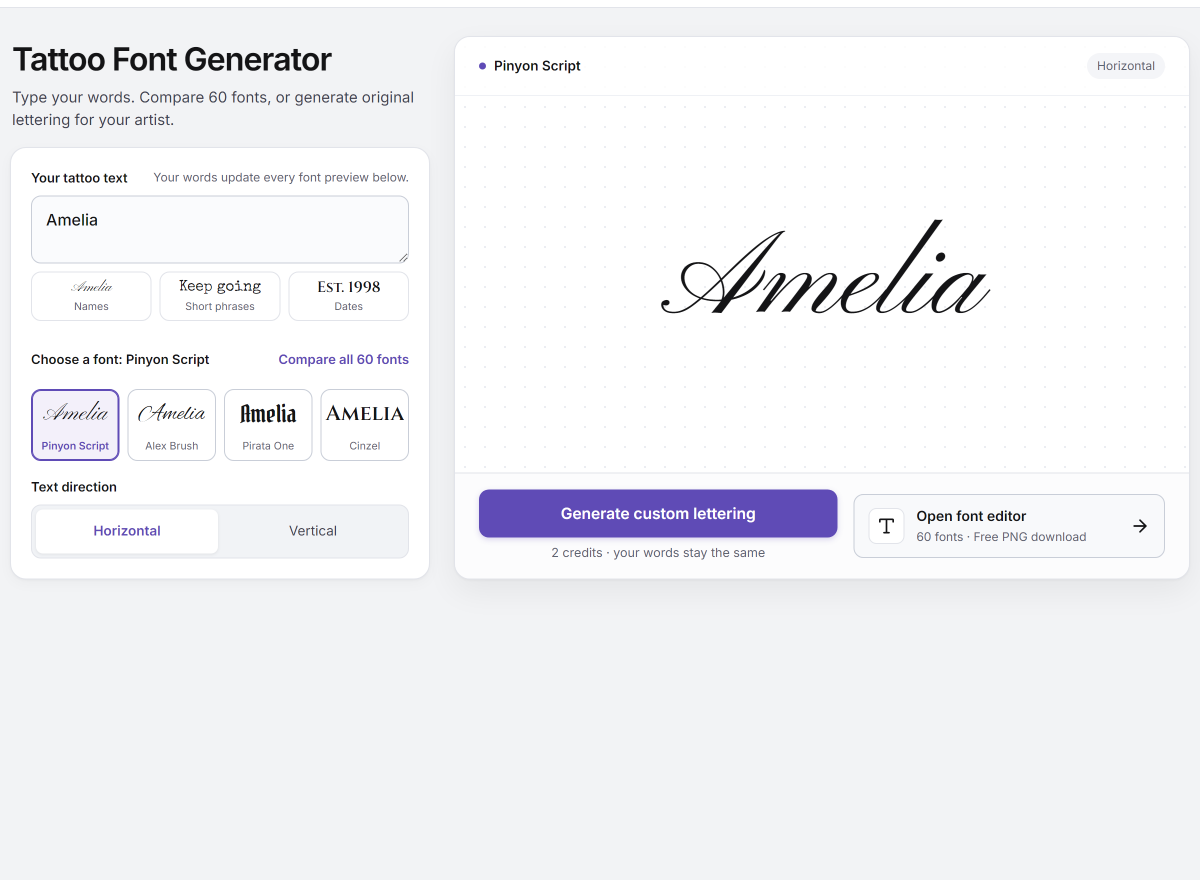
Enter your words
Start with a name, quote, or date. The preview and font samples update as you type.
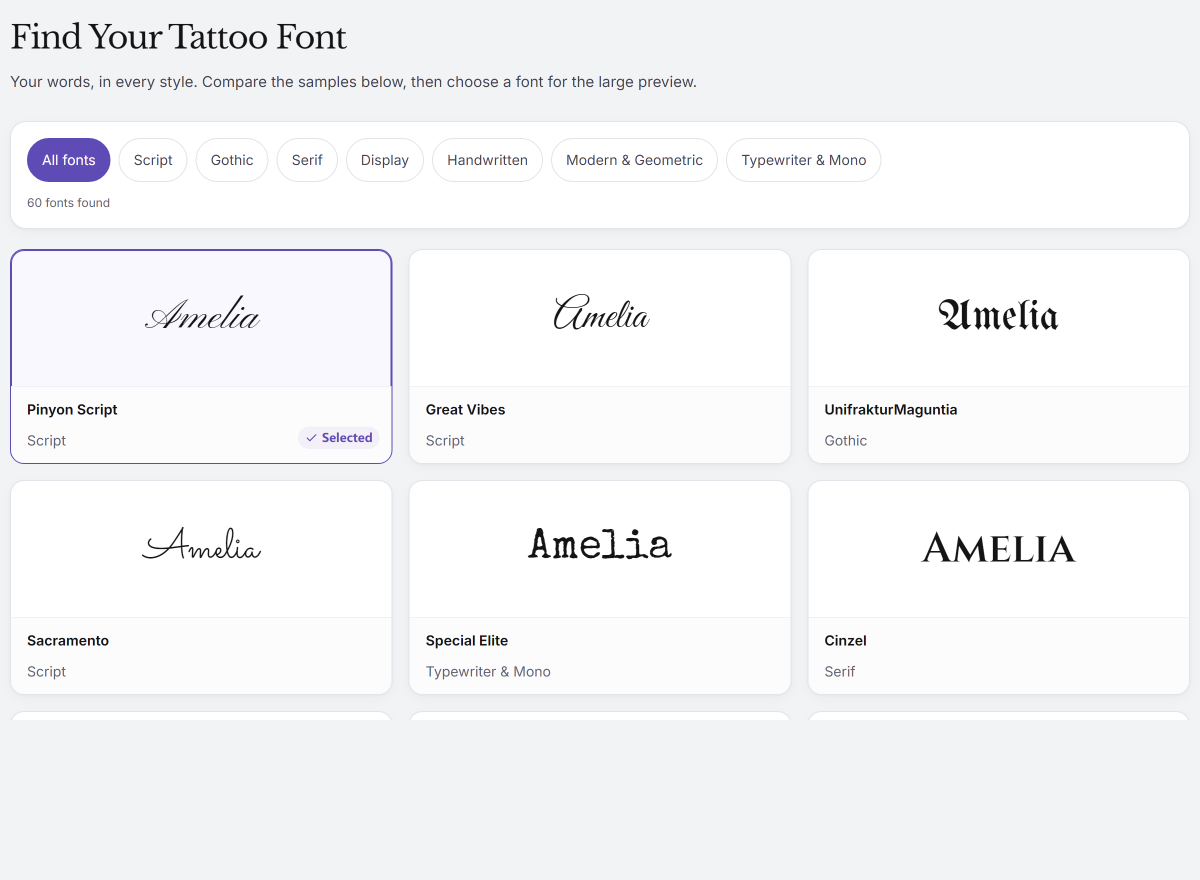
Compare the fonts
Explore the library and choose a font. Switch between horizontal and vertical arrangements.
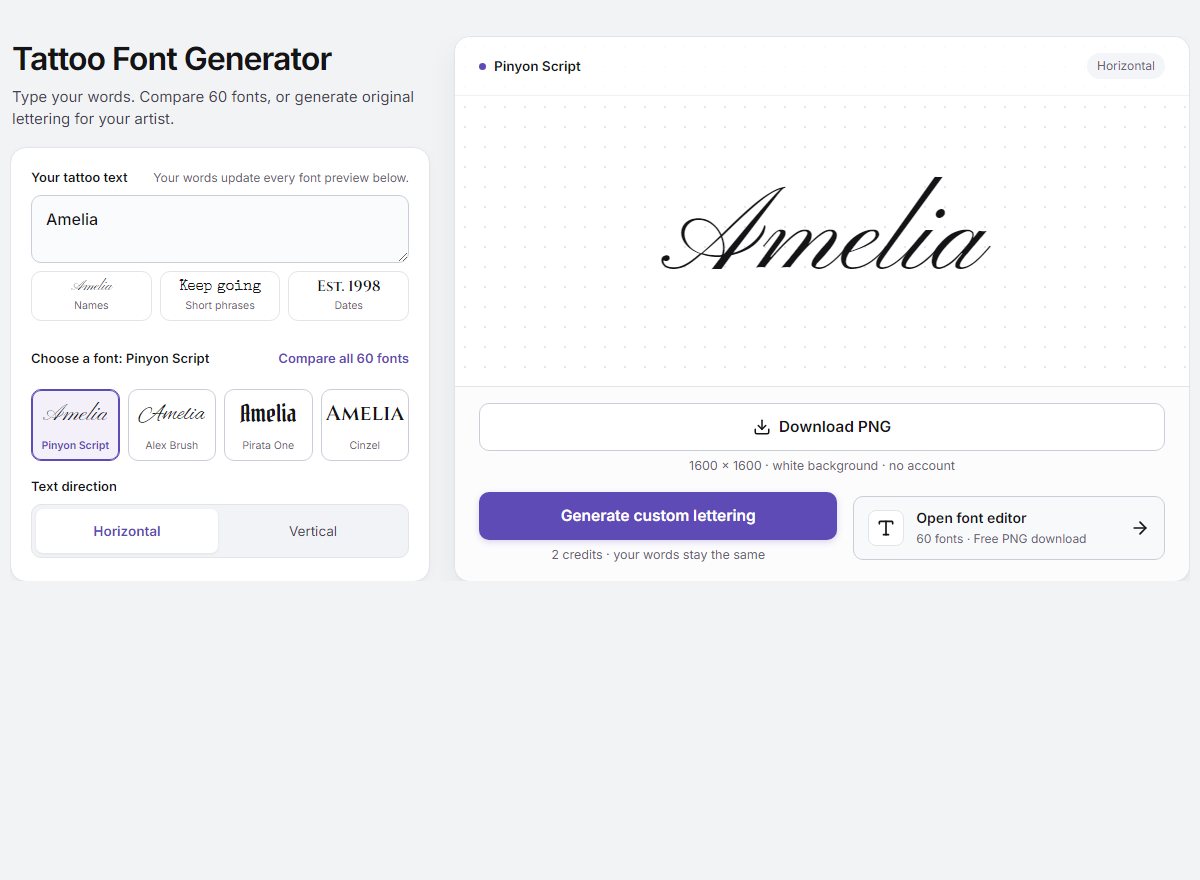
Download your PNG
Keep the 1600 × 1600 image and bring it to your artist to discuss size, spacing, and placement.
How to Choose a Font for Your Tattoo
Match the words
Try an expressive script for a name or a simpler typeface for a longer phrase. Read the whole inscription before choosing.
Compare the strokes
Fine lettering feels light and open. Heavier letters create a stronger silhouette. Ask your artist how the details will work at your chosen size.
Explore the arrangement
Horizontal text follows a line from left to right. Vertical layouts stack words, or individual letters for a single word.
Review with your artist
Take the PNG to your artist to refine letter spacing, line thickness, scale, and placement for the final tattoo.
How to Choose a Tattoo Font by Style
The right tattoo font depends on the words, the placement, and how small the lettering will be. Use the library filters to compare the same name, date, or quote in script, Gothic, serif, and typewriter styles before you download a PNG.
Loading font…
Script
Script fonts are a usual choice for names and short affectionate phrases. They have connecting strokes and calligraphic capitals, which can look elegant on a forearm, shoulder, or rib. Look closely at the first letter and at repeated letters in the name — those shapes are what your artist will have to repeat. Script can get hard to read at a very small size, so for a wrist or behind the ear, compare a simpler script with a more ornamental one and keep the version that still reads clearly.
Loading font…
Gothic & Old English
Gothic and Old English styles suit short, strong words: family names, mottos, and memorial lettering. The heavy strokes make a bold mark, but they need enough size and spacing. Check the interior shapes of letters such as a, e, and o, and avoid packing a long sentence into a blackletter style if it will be tattooed small. These fonts often work better as one or two words than as a long phrase.
Loading font…
Serif & Roman
Serif and Roman styles are clearer for dates, roman numerals, and slightly longer quotes. The serifs help the eye follow each letter, which matters when the wording has to stay readable for years. A high-contrast serif can look formal in a larger placement, while a simpler book serif may hold up better at a modest size. If you combine a date with a name, try the date in a serif and the name in a script, then see whether the two weights still feel balanced.
Loading font…
Typewriter & Mono
Typewriter and monospaced fonts give dates, coordinates, and short straightforward phrases a steady rhythm. Each letter occupies a similar width, so numbers often line up more evenly than they do in a script. These styles are less decorative, which helps when you want the wording itself to carry the meaning.
Whatever style you start with, preview the exact letters you plan to tattoo, download a few options, and review them with your artist at the intended size. The font is a reference, not a finished stencil.
The Stories Behind Their Lettering
Words chosen for the people and moments that matter.

Alex Morgan
“My mom raised me on her own and always made sure I had what I needed, even when money was tight. I got her name tattooed on my arm as a small reminder of everything she’s done for me.”

Daniel Reed
“My grandma’s kitchen was where I spent every afternoon after school, doing homework while she made dinner. I got her name tattooed in her handwriting so I’ll always have a little piece of her with me.”

Emma Chen
“Got ‘keep going’ on my forearm after a pretty rough year. A little cheesy, maybe, but I still need the reminder sometimes.”
1 / 3
Turn Your Font Idea into Custom AI Lettering
A font preview shows your words in an existing typeface right away. If you want a custom design from an idea, try the AI tattoo generator. For custom letterforms, AI lettering creates a new image from your words and selected style, with individually drawn capitals, connecting strokes, and ornament.
AI lettering uses 2 credits per generation and requires an account.
Loading font…
Tattoo Font Generator FAQs
Is the tattoo font generator free?
Yes. Font previews and PNG downloads are free and do not use AI credits.
Do I need to sign up?
You can type, compare fonts, and download a PNG without an account. AI image generation is a separate feature that requires sign-in and credits.
What do I get when I download?
You receive a 1600 × 1600 PNG with your text rendered in the selected font on a white background. The file is a free image you can share with your artist. Credit packs for AI designs are listed on the pricing page.
Which languages and characters can I preview?
Most fonts in this library support Latin letters. Character coverage varies by font. If a character is unsupported, the preview will tell you so you can try another font.
Does the generator work on my phone?
Yes. The editor, font library, and PNG download work in a mobile browser. Use Edit my text while browsing the library to return to the input.
Can I preview vertical lettering?
Yes. Choose Vertical in the editor. Multiple words are stacked as words; a single word is stacked letter by letter.
How is a font preview different from AI tattoo lettering?
A font preview renders your text in an existing typeface and updates immediately. AI lettering generates a new image with custom letter shapes and decoration, using credits.
Can I take the PNG to my tattoo artist?
Yes. Use the image as a starting reference. Your artist should check spelling and adapt spacing, size, line thickness, and placement before making the tattoo.
Find the Font for Your Words
Your text and selected font will be waiting in the editor.